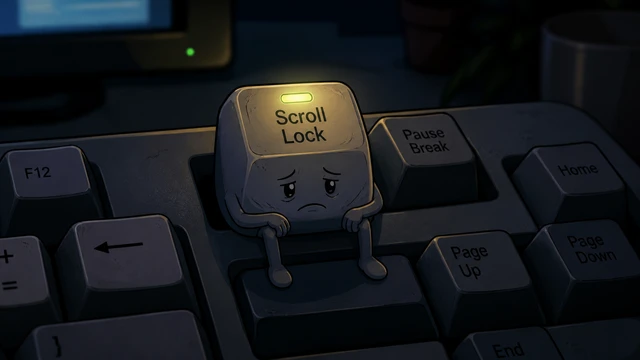
Dowry Checklist for Bride-to-Be SSDs
Capacity, cooling, TBW, and household manners enter one SSD dowry bundle before the NAND family allows the bride into her new case.
TL;DR
- Capacity is only half the marriage, thermals and endurance finish the paperwork.
NVMegets the spotlight, but SATA still earns its keep for archives and backups.- A stuffed SSD loses grace fast, so leave breathing room.
- Clean installs, firmware checks, and the right slot decide how the honeymoon goes.
Walking into the data household
Some SSDs leave the box and go straight into a game folder. Others have bigger plans. A tidy home, cool airflow, a respectful motherboard slot, and a backup habit that shows up on time. For a bride-to-be SSD, capacity matters, but temperament matters too.
You think you are buying storage. The drive thinks about the family it is marrying into. It sees PCIe 4.0 and gets excited, sees a cheap heat spreader and goes quiet. A dowry here is not romance. It is a survival bundle.
I thought seeing 5000 MB/s meant I was ready for marriage. Turns out the real test was staying calm under heat.
Nora NAND, family elder
”The first thing in the dowry is not the box, it is temperament
A decent SSD dowry starts with these items:
- A plan that leaves at least
15 percentfree space - Proper cooling so it does not roast under the motherboard shroud
- The mounting screw, plus a spare if the household is chaotic
- A calm installation day for
firmwareupdates - A backup drive or a quiet cloud corner
A flashy label does not build a home. A DRAM-less model can still work, but constant heavy lifting may bring out its mood swings. The real question is simple. Will this SSD store family photos, carry modern games, or wake up three virtual machines every morning?
TBW, controller behavior, thermal habits, and warranty length are the premarital health report.The mother-in-law test is just summer inside the case
An SSD behaves politely on the first day. The benchmark runs, everyone smiles, and the numbers shine. Then the side panel closes and real life starts. If airflow is weak, that graceful bride cuts speed in silence and starts giving you attitude during file copies.
That is why a small but honorable cooling policy belongs in the dowry. On PCIe 4.0 and above, a heatsink is no longer decoration. It is a domestic peace treaty.
SATA still deserves a room in the house
Not every dowry is built around one luxury piece. NVMe gets the lead role, true. SATA SSDs still work in the kitchen, the guest room, the older laptop, and the media archive. Sometimes they end up being the quietest worker in the whole home.
The real issue is not which interface looks cooler. The real issue is matching the task to the right personality. Put the operating system and active games on fast NVMe, then send archives and backups to a calmer SSD, and the household will fight less.
We do not marry our girl into a slot with no heatsink. In this family, throttling counts as bad manners.
Hank Controller, neighborhood shopkeeper
”The wedding night is really a data migration job
Cloning an old drive onto a new SSD sounds practical. Sometimes it is just hauling every box of clutter into a cleaner apartment. A clean install, when possible, is the gold bracelet. If cloning must happen, clear out the junk afterward, keep TRIM active, and check the firmware before you call the marriage official.
One more thing matters. An SSD in the dowry deserves a proper introduction. The BIOS should see it, the slot should run at the right speed, and the operating system should not land on the slower connection by accident. Love is nice. CrystalDiskInfo should still get a say.
PCIe 3.0, is a faster drive wastedHappy marriages start quietly
A good SSD does not shout. It does its job, keeps you moving, and does not change character under load. That is where the dowry list earns its place. Capacity, thermals, endurance, workload, and backup planning all need to sit at the same table before the household is ready.
When you choose an SSD for its new life, you are buying more than storage. You are buying a routine that opens on time and refuses to collapse at midnight. Plenty of people think there is no romance in that. Their opinion usually changes right after the last blue screen.
Related suspicious logs